![fit3d_logo.png]](https://service.fit3d.com/hs-fs/hubfs/fit3d_logo.png?height=40&name=fit3d_logo.png)
Simple Goal:
Complete 30 unique client scans in your first four weeks.
Reaching 30 scans helps your team learn the process, introduce SNAP confidently, and begin using it as part of your client journey.
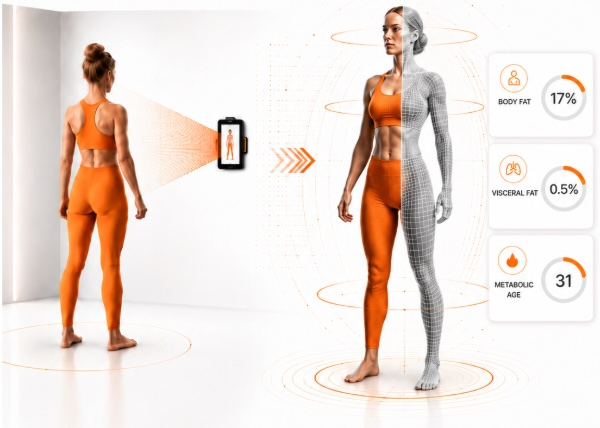
Before Launch Lab Begins:
- Download SNAP Success Playbook (download)
- This is a comprehensive Playbook that we'll constantly refer to to help you integrate SNAP into your business.
- Activate your SNAP by Fit3D Scanner (article link)
-
Watch the Post-Activation Video to learn how to prepare for and complete your first successful SNAP scan.
- Setup your Facility Admin Account (article link)
- Setup SNAP Scanning Room (article link)
- Make sure your tablet is facing the right direction
- Using your Admin / Coach Accounts - The SNAP Success Hub (article link)
- Invite your first client, member, or patient to take their first SNAP Scan (article link)
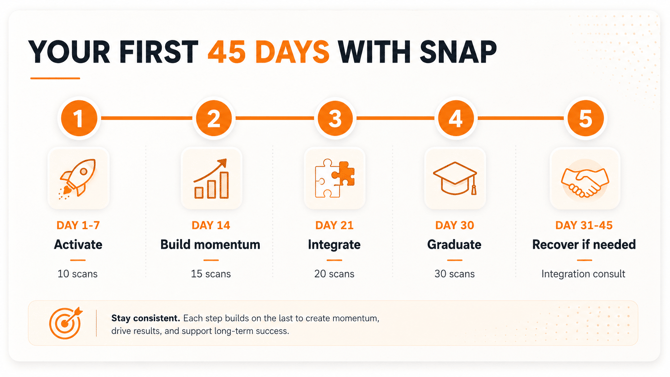
Launch Lab: First 45 Days Period:
Your four-week Launch Lab begins once your SNAP system is active and administrator access has been confirmed.
- Join the SNAP Launch Lab Facebook Group (coming soon)
- Use the SNAP Success Playbook to build SNAP into your client journey
See SNAP Success Playbook; Part 5 - Learn how to manage client conversations, objections, and results-review opportunities
See Part 4.3 - [Attend SNAP by Fit3D Office Hours]
- Complete at least 30 scans with unique clients and prospects
- Review results with participants and use the data to establish the next measurable goal
[Learn How to Review SNAP Results]
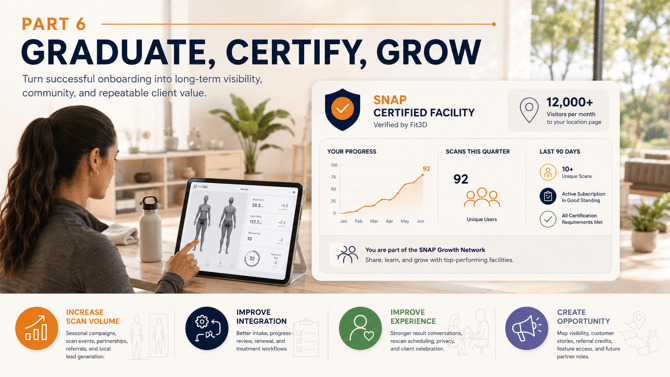
Launch Lab Graduation
At the end of your fourth week, Fit3D will review your progress.
Facilities that reach 30 unique scanned users and establish a working SNAP process will be invited to the SNAP Growth Network (coming soon).
If SNAP is not yet fully integrated into your business, our team will work with you to identify the primary obstacle and create a focused plan for moving forward.
See the SNAP Success Playbook, Part 6
Need Help?
Email help@fit3d.com for help with:
- General troubleshooting and support
- Activation or account access
- Scan quality or processing
- Administrator or coach access
- Client objection handling
- Setup consulting call with a SNAP Business Integration Specialist