![fit3d_logo.png]](https://service.fit3d.com/hs-fs/hubfs/fit3d_logo.png?height=40&name=fit3d_logo.png)
If a scan shows up as Limited, a client has not given you permission to view their full scan.
Simply go into your admin view and hit the 4th icon & then select "request full access". This will email the client so you can see their full profile.
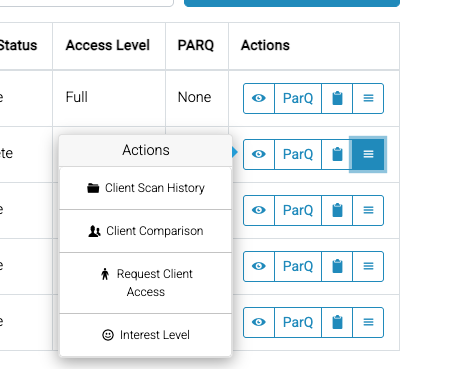
Simply go into your admin view and hit the 4th icon & then select "request full access". This will email the client so you can see their full profile.