![fit3d_logo.png]](https://service.fit3d.com/hs-fs/hubfs/fit3d_logo.png?height=40&name=fit3d_logo.png)
We recommend a magnetic wall mount. It’s the easiest, cleanest, and most affordable setup.
You also get space back! Ideal for Gyms or MedSpas who can use that space for other revenue generating activities.
You can find plenty of good magnetic wall mounts (LINK) on Amazon for around $30–$50. They’re easy to install, look professional, and work perfectly with SNAP.
See this video as an example.
If You Don’t Want a Wall Mount
If you prefer a stand, that’s totally fine — just make sure it meets these two non-negotiables:
Required
-
Holds the Samsung tablet securely
-
Keeps the tablet at a true 90° vertical (portrait) angle
SNAP scans only in portrait mode, so anything that tilts back or locks to landscape won’t work.
Stand Options (Two Simple Paths)
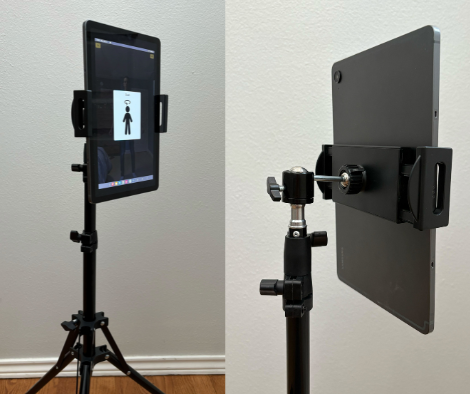
Option A: Affordable Tripod Stand (≈ $40)
-
Available on Amazon
-
Works great if you’re budget-conscious
-
Fine for day-to-day use or events
- You can always upgrade this later if you need it.
Watch out for:
-
Stands that don’t go fully vertical
-
Stands that max out too low (ideal tablet height is ~39.5”)
-
Landscape-only tablet mounts
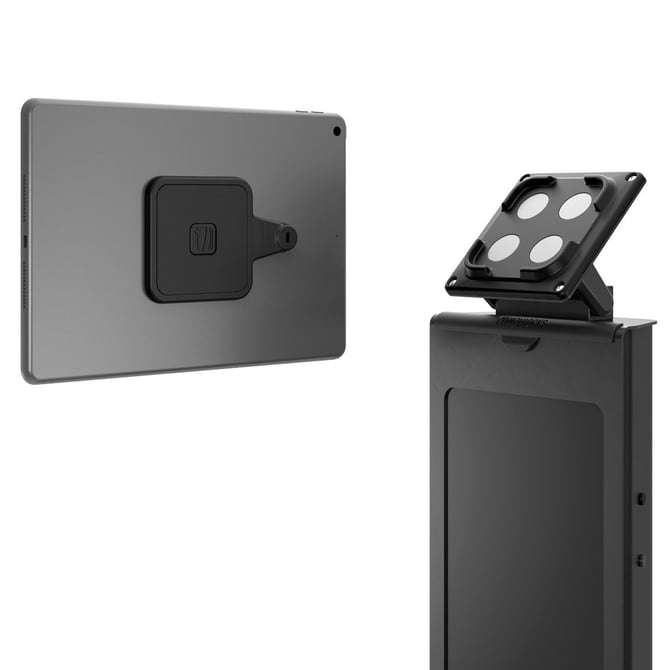
Option B: Premium / Polished Look (≈ $500)
If aesthetics matter to your space, a higher-end stand can elevate the experience. We do like the "magnetic" mount so that you can remove the tablet for typing in information & then return it to the kiosk. This is very natural feeling.
We’ve tested and recommend options from Compulocks (LINK), including:
-
Apex Floor Stand
-
Magnetic Floor Stand
These look great, feel solid, and function exactly the same as cheaper stands — you’re paying for appearance, not performance.